
SaaS Control Center Dashboard
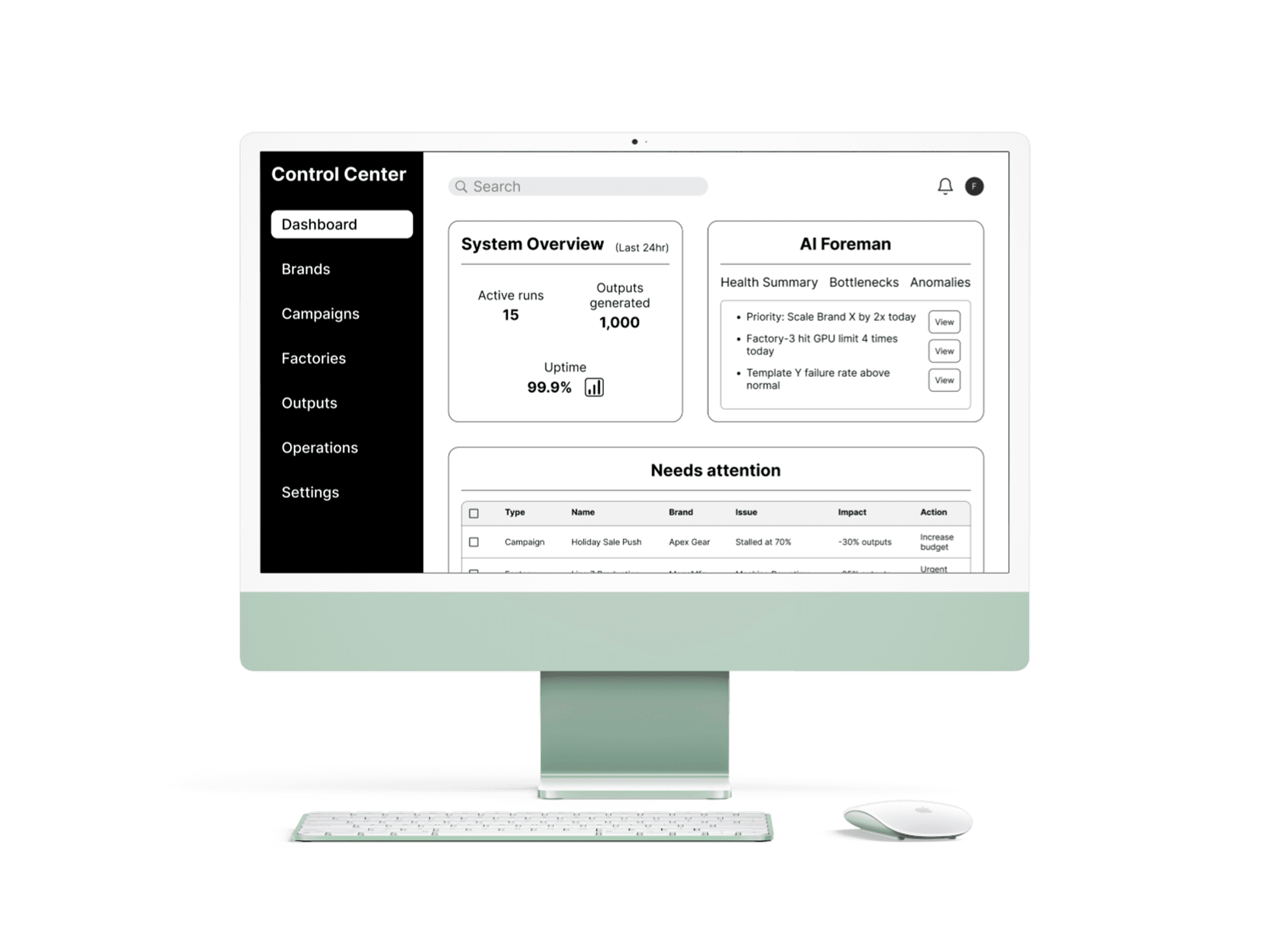
Problem:
The client needed an internal command-center UI for operators managing automated AI content production pipelines. The existing situation had no dedicated interface — operators had no single place to monitor system health, track production runs, investigate failures, and act on them quickly. With multiple interconnected entities and an AI layer making recommendations, the lack of a clear operational UI was a real blocker for the engineering team moving forward.
Solution:
A desktop-only, internal operator dashboard covering seven core sections: Dashboard, Brands, Campaigns, Factories, Outputs, Operations, and Settings. Low-to-medium fidelity wireframes built for direct engineer implementation — no visual polish required, hierarchy and control flow first.
Context:
I was brought in as the sole designer on this project. The client had a detailed system spec and clear expectations — they needed someone who could translate complex operational logic into a UI engineers could build from without repeated clarification. My role covered everything from initial information architecture through final Figma delivery and handoff documentation.
Research and Discovery:
Before opening Figma I asked for concrete operator scenarios to anchor the hierarchy. The client described three core workflows: monitoring and intervening on underperforming runs, setting up new content runs, and reviewing and managing generated outputs. They also flagged that the system needed to support an AI layer — the "AI Foreman" — that could surface recommendations, explain bottlenecks, and flag anomalies, with operators always retaining final control.
That framing clarified the entire design direction. Operators don't browse this system — they monitor it, drill into problems, and act. Every screen was designed around that.
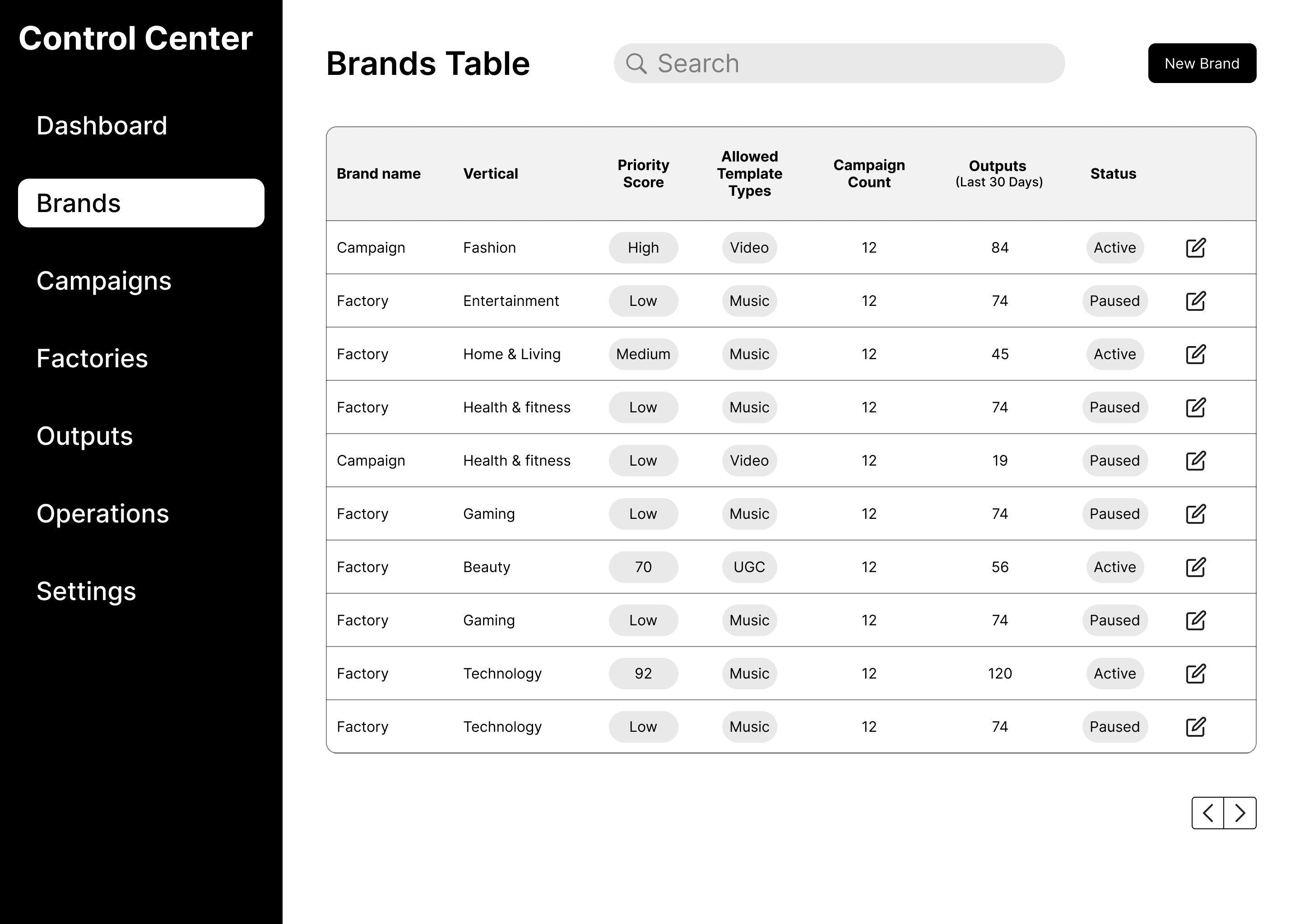
Brands Screen
The deliverable included a structured handoff document alongside the Figma file covering system hierarchy, screen-by-screen intent and primary operator actions, and design assumptions and constraints. The goal was that engineers could implement the UI directly without back-and-forth. The document explicitly noted where decisions were intentionally deferred to future phases to keep scope clean and the current build unambiguous.
Design process:
The monitor → drill down → act model became the throughline for every decision. Starting from Dashboard or Campaigns, operators needed a clear path into Factories and Outputs when something required attention, with recovery actions available in one or two clicks without losing context.
Three things stayed consistent across all 13 screens:
Every primary view is table or list based. Operators scan first, dig in second.
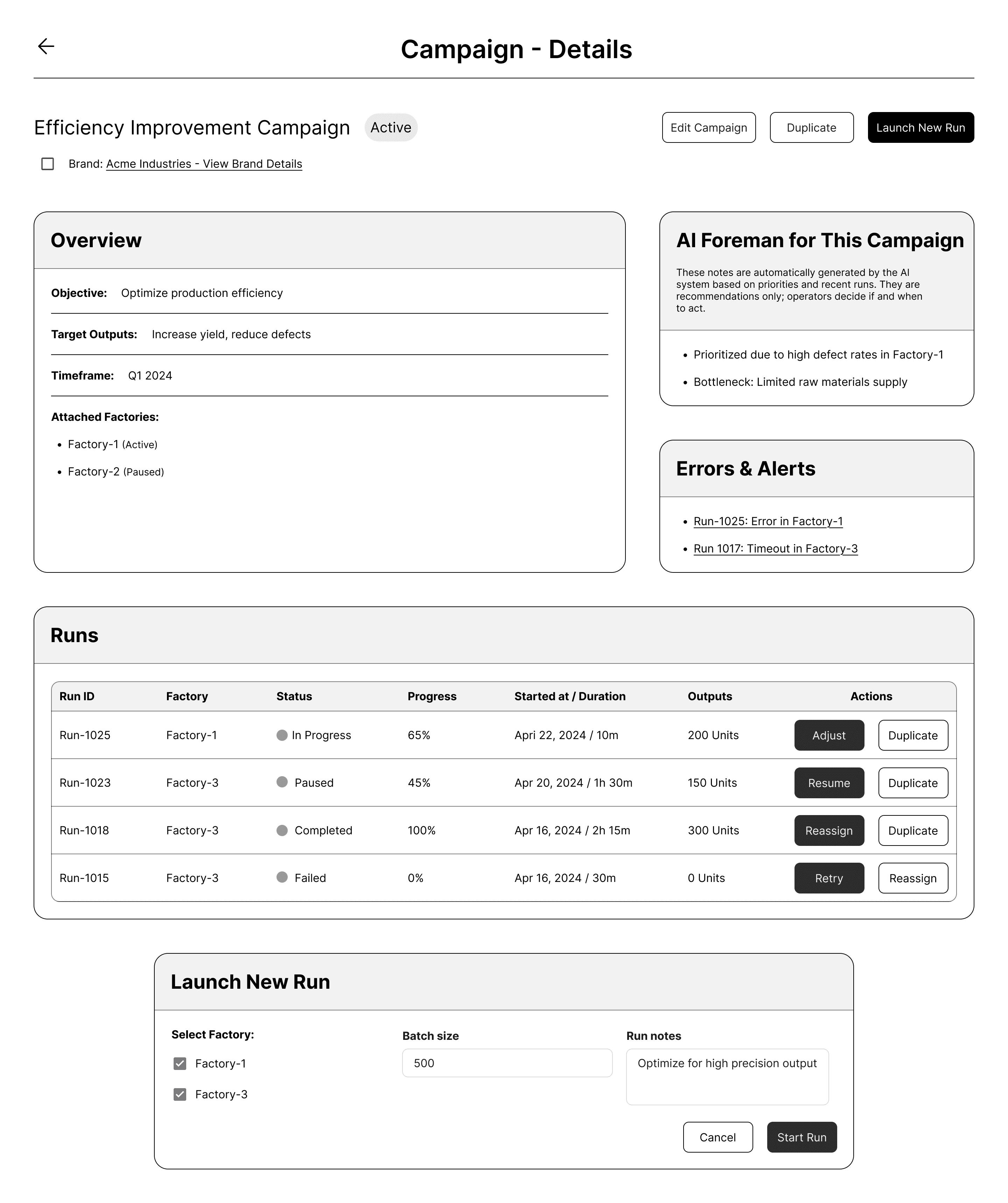
Recovery actions — retry from checkpoint, duplicate with adjustments, reassign to a different Factory — live inline where problems surface, not buried in separate configuration screens.
The AI Foreman makes recommendations. Operators decide. That boundary never blurs.
The Dashboard was split into two distinct areas — items needing immediate attention and confirmation of what had already happened — so operators could orient quickly without hunting through a mixed feed.
Settings was kept deliberately thin. Priorities, AI Foreman rules, and template mappings only. Future phases can expand it without touching what's already there.
Inter throughout. Spacing, roundness, and component hierarchy defined directly in Figma so engineers had a concrete visual system to follow.
Key features:
Dashboard with System Overview, AI Foreman advisory panel, Needs Attention table, and Recent Activity log
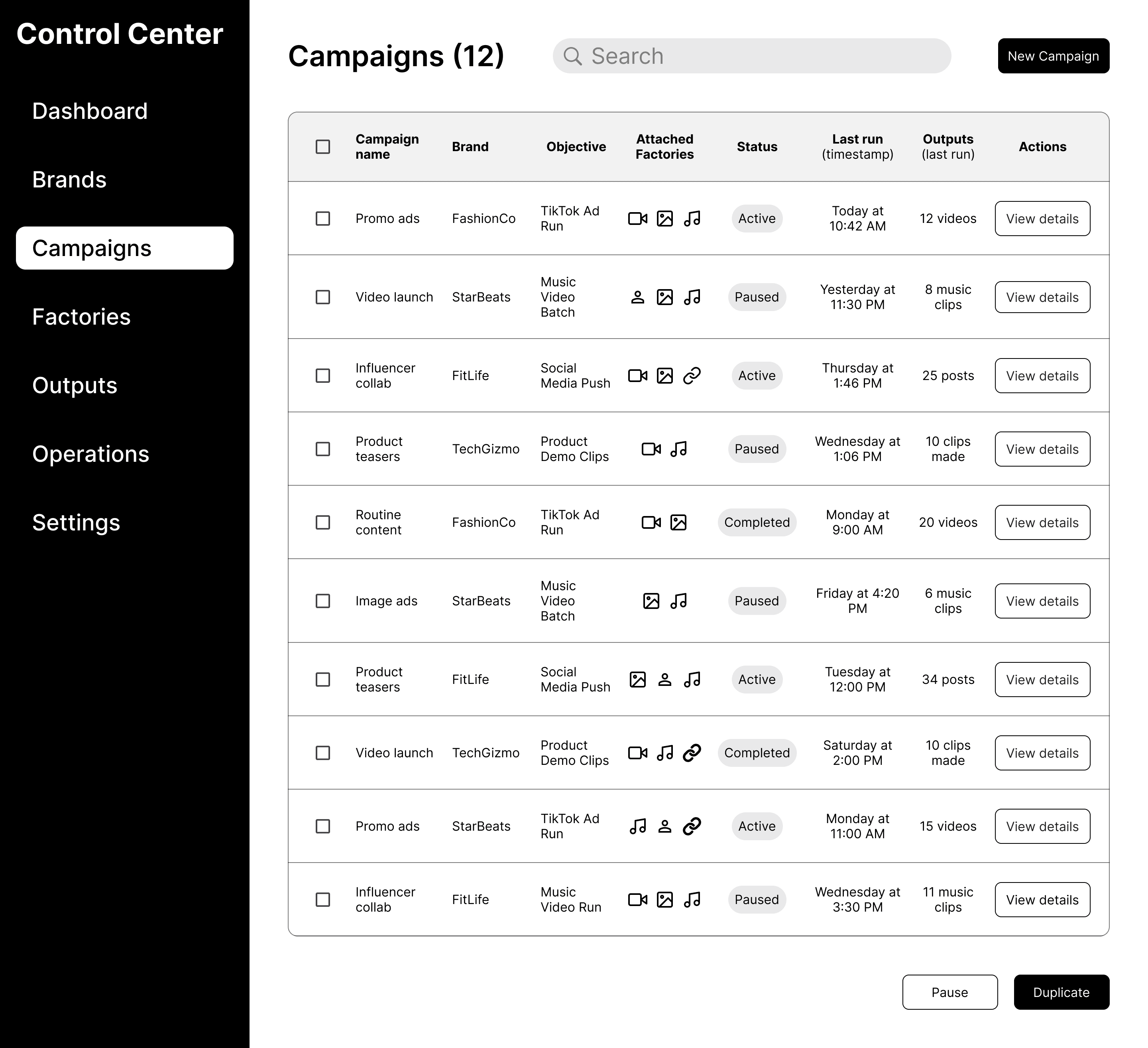
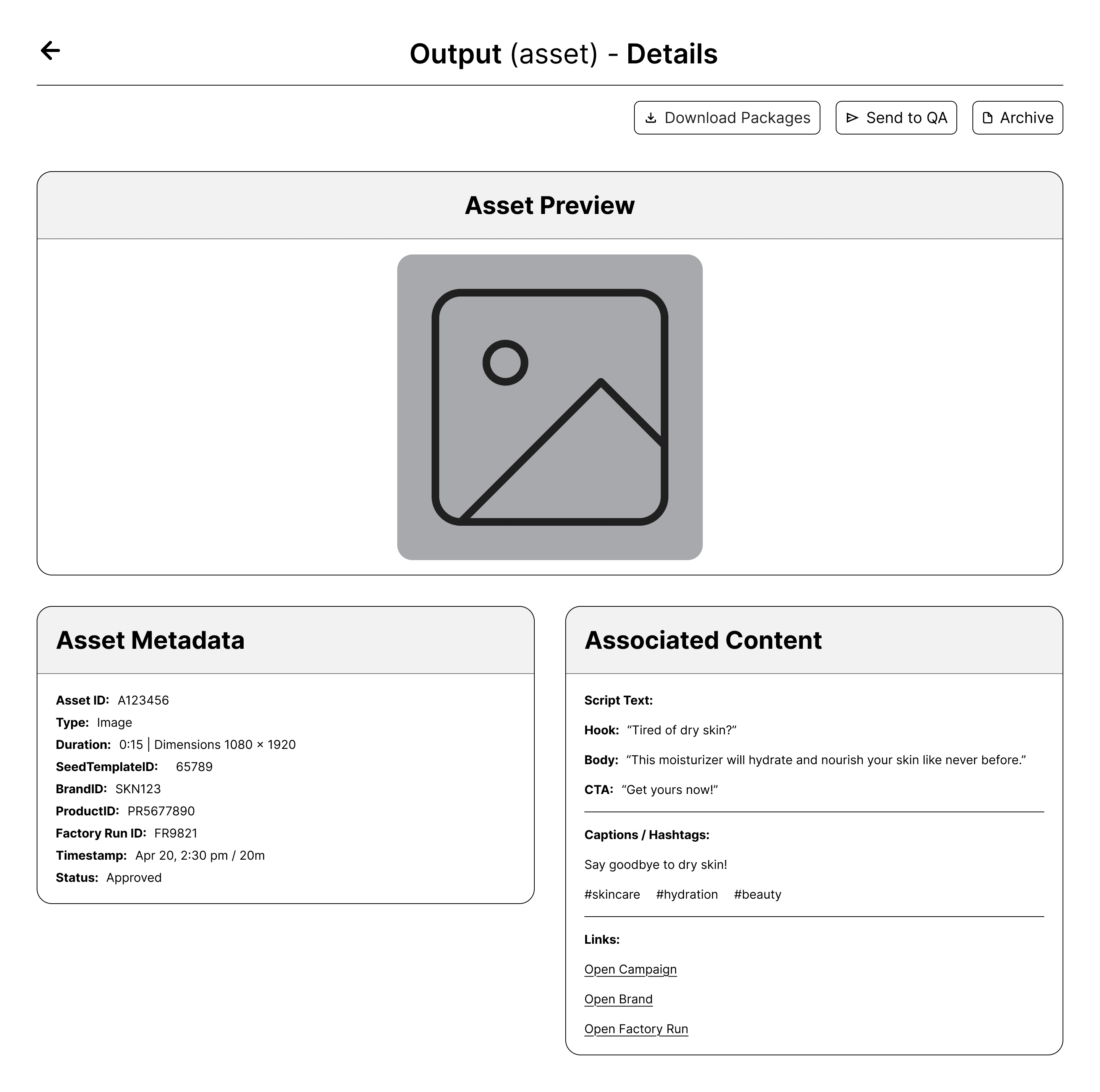
Brands, Campaigns, Factories, and Outputs as table-first list views with inline actions and drill-down detail pages
Campaign Detail with full run history, inline recovery actions, AI Foreman recommendations, and new run launcher
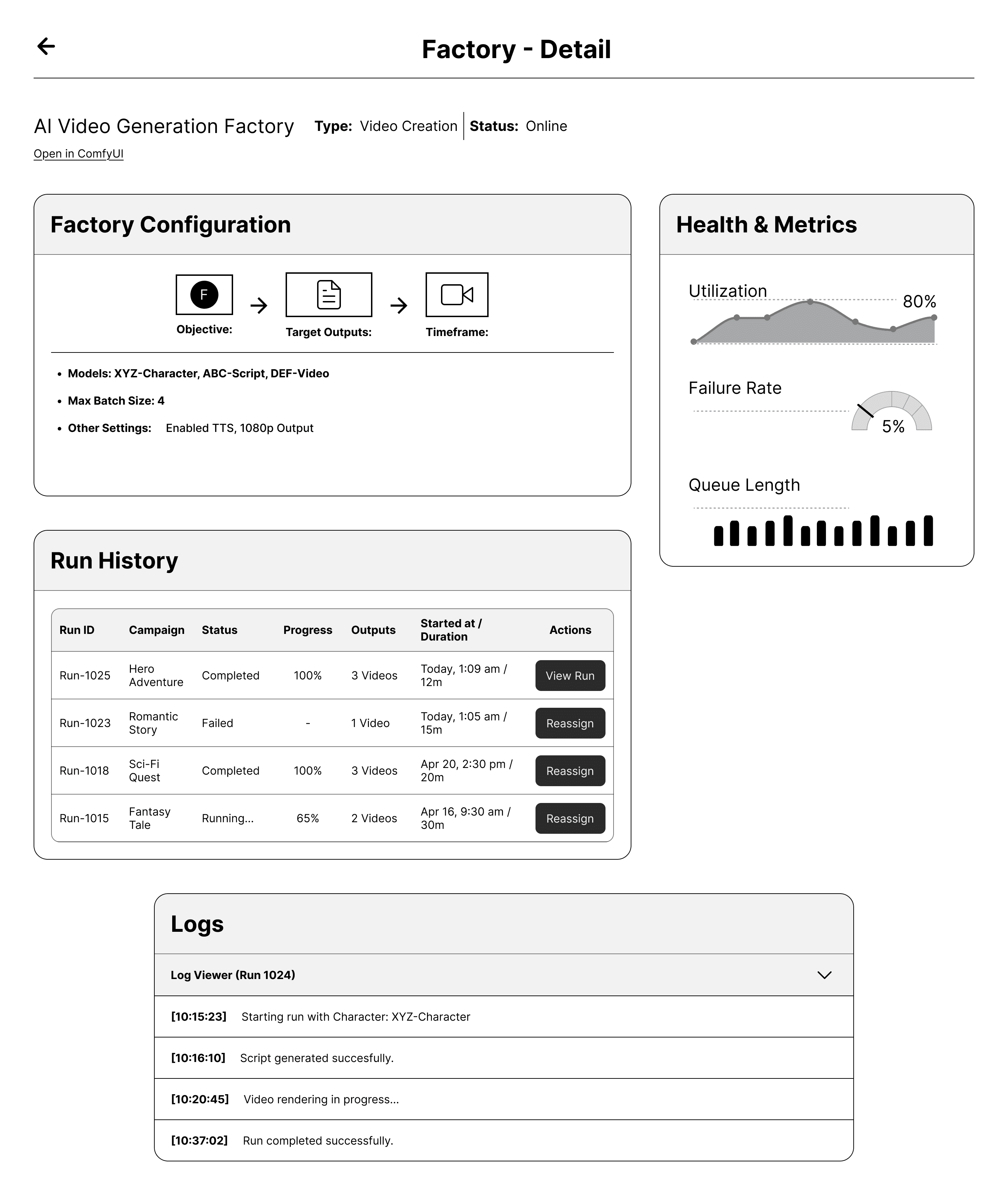
Factory Detail with health metrics, utilization data, run history, and inline log viewer
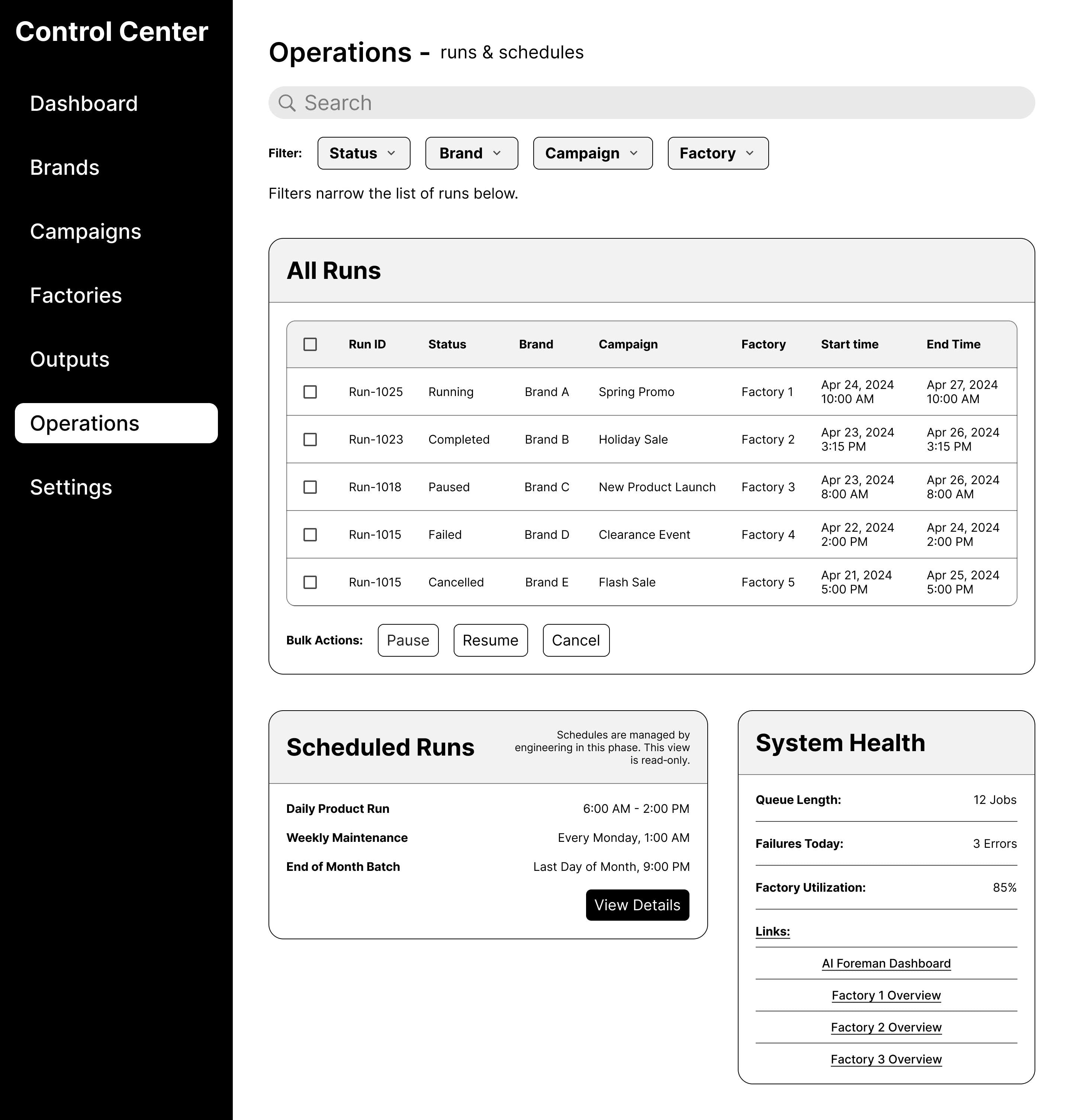
Operations console for cross-system run management, scheduled runs, and system health monitoring
Settings covering brand priorities, AI Foreman advisory rules, and template-to-vertical mappings
Full inline annotations throughout for engineer handoff
Impact:
13 screens delivered on time covering all core operator scenarios, recovery flows, and AI Foreman integration points. The client shared the Figma file directly with their engineering team who began implementation immediately.
Approved for engineering handoff with no revision requests on the core System 5 screens
Client feedback: "Everything is aligned with what we're aiming for"
Closed with a 5-star review on Upwork
Handoff Overview
The deliverable included a structured handoff document alongside the Figma file covering system hierarchy, screen-by-screen intent and primary operator actions, and design assumptions and constraints. The goal was that engineers could implement the UI directly without back-and-forth. The document explicitly noted where decisions were intentionally deferred to future phases to keep scope clean and the current build unambiguous.